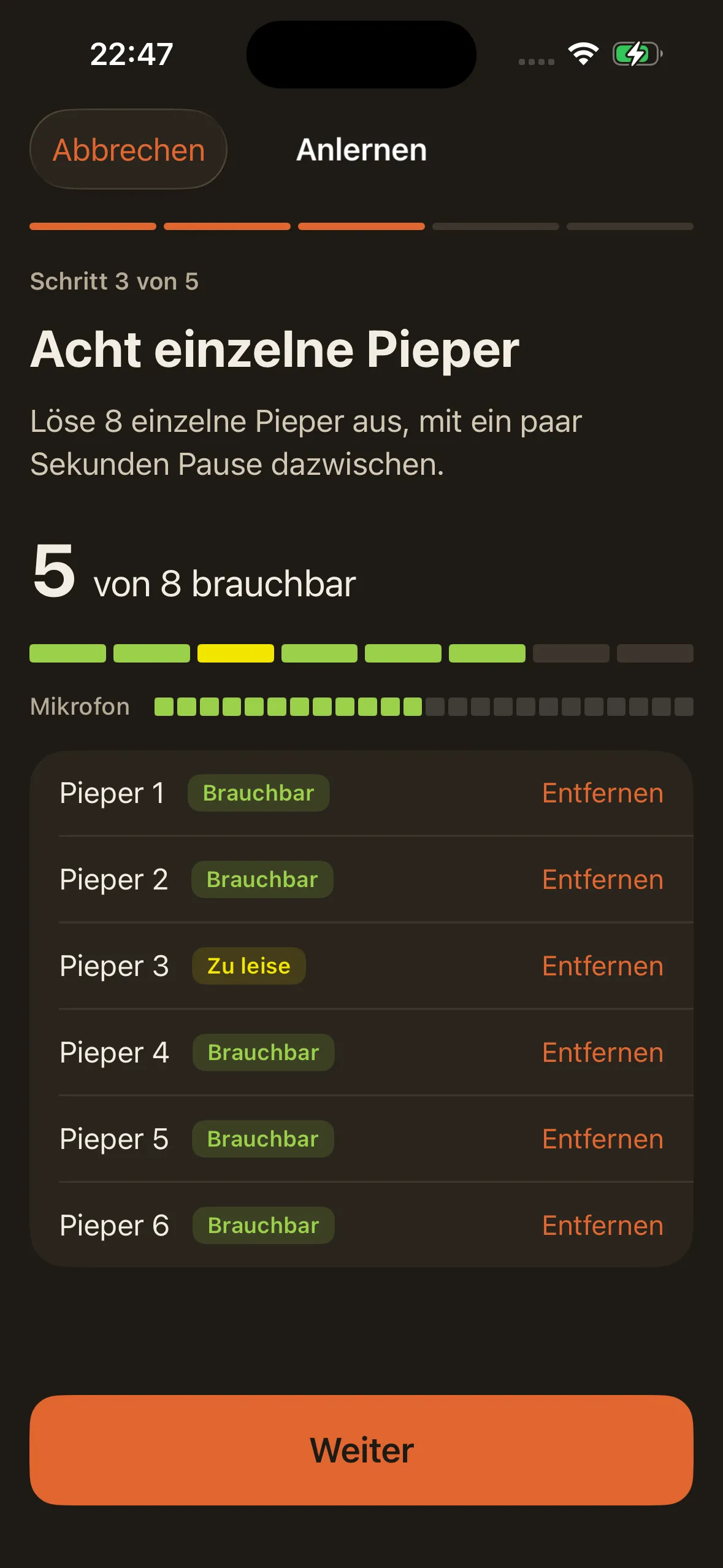
Listens to your bite alarm
Teach it once. Done.
In a few minutes, Rodwatch learns the tone of your bite alarm or receiver. No cable, no adapter, no changes to your gear.
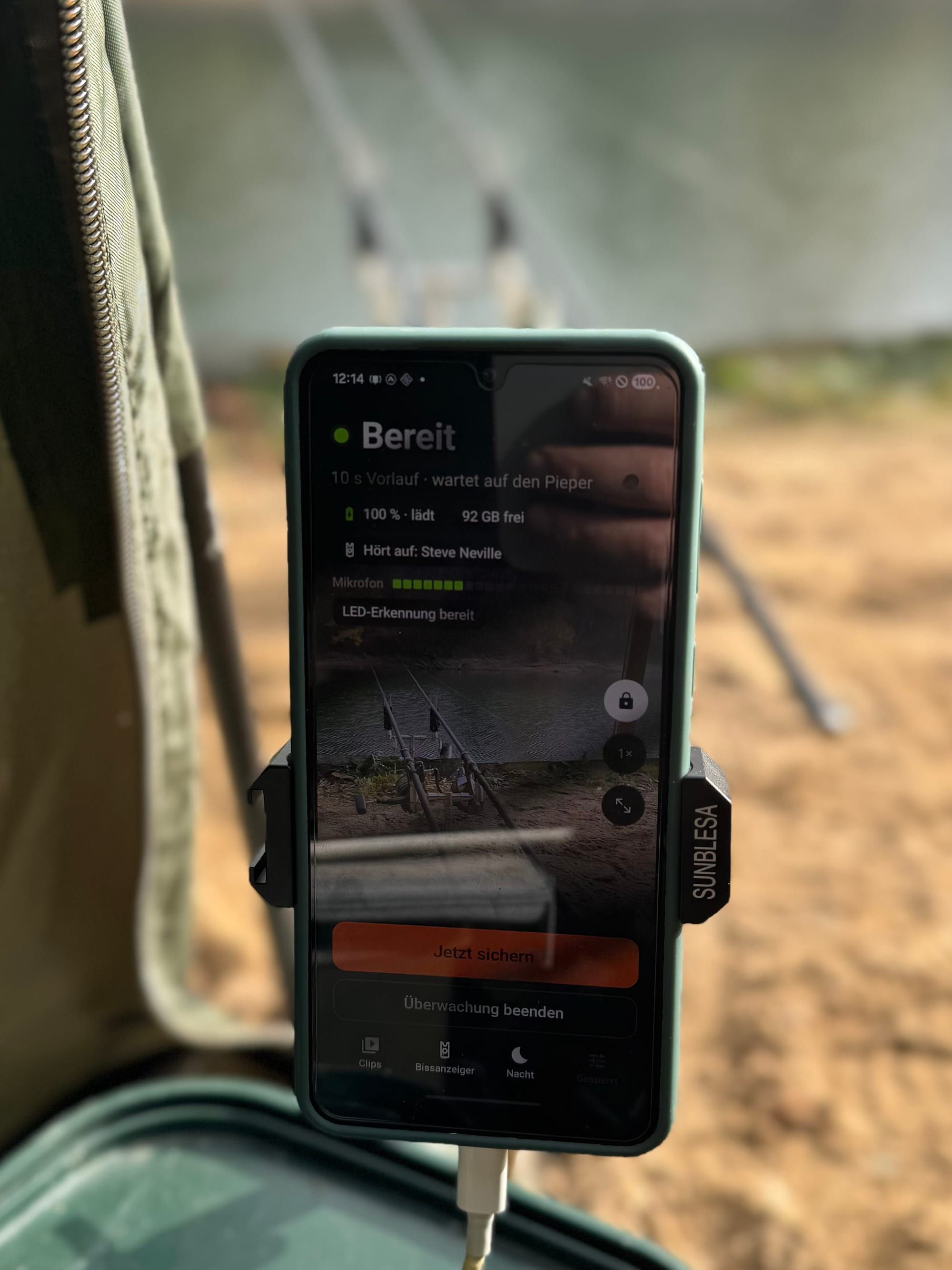
Your phone films your rods all night. When your bite alarm beeps, Rodwatch saves a clip on its own that starts at least 10 seconds earlier.
Coming soon to the App Store and Google Play
For iPhone with iOS 17 or later and Android 11 or later.
Pre-roll
Rodwatch always keeps at least the last 10 seconds in memory. When your bite alarm beeps, they’re already part of the clip. Start the camera by hand and all you get is the end.
The LED lights up, line peels off the spool. It’s all in the clip already.
You deal with the fish, the camera keeps rolling.
Every beep after that extends the clip. It ends 2 minutes after the last one.
Listens to your bite alarm
In a few minutes, Rodwatch learns the tone of your bite alarm or receiver. No cable, no adapter, no changes to your gear.

Night view
Black screen, dimmed red, brightness at minimum. Nobody notices a thing: not you, not the fish, not your neighbours on the bank.
How it works
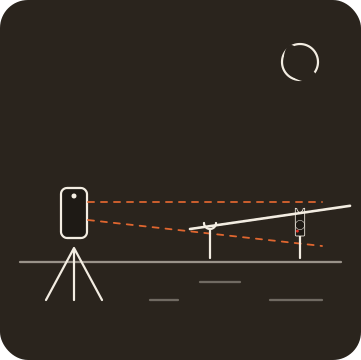
Put your phone on a tripod or in a phone holder, with your rods and bite alarms in the picture. Add a power bank and the battery lasts the night.
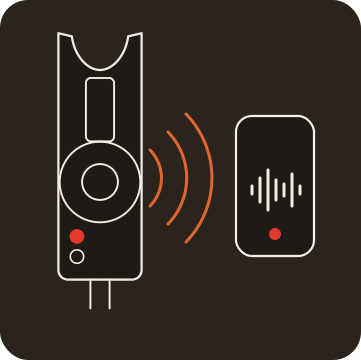
Let each bite alarm beep a few times. Rodwatch remembers the tone, no cable needed.
One tap and Rodwatch waits for the beep. The screen goes dark, the camera keeps running.
Features
Every clip starts before the first beep. You set the pre-roll yourself.
Recognises the tone you taught it, straight from the bite alarm or from the receiver.
One tap saves the moment even without a beep, with the same pre-roll.
Black screen, dimmed red, brightness at minimum.
If the battery drops below 10%, Rodwatch warns you before recording stops. Night view shows the battery level.
The optical bite detection: Rodwatch sees the LED on your bite alarm light up.
Your phone beeps along with your bite alarm: short for a single beep, long on a run. So it wakes you even when only the LED lights up.
Listening to music? Turn off tone detection. Rodwatch then only watches for the LED and keeps recording video and sound.
Real bites
This is where we’ll show clips from our night tests as soon as they’re approved.
What you need
Questions
No, Rodwatch has no night vision. The app uses your phone’s camera, and that needs some light. If it’s pitch dark, you won’t see much in the clip. Rodwatch still picks up the beep, because the app is listening. With Plus, Rodwatch also sees the LED on your bite alarm, because it gives off its own light.
On iPhone, yes: Rodwatch only films while the app is open. The screen stays on but dark, so it doesn’t dazzle. With “Guided Access”, nothing stops monitoring by accident. On Android you can lock the phone, and Rodwatch keeps recording. Either way, plug your phone into a power bank.
No. If two bite alarms sound the same, Rodwatch saves the clip but doesn’t know which rod it was. Set them to different tones and each clip shows the rod.
We’re measuring that right now on real nights. The figures will be here as soon as testing is finished. If the battery drops below 10%, Rodwatch warns you before recording stops.
In the eurozone, Rodwatch Basis costs €2.99 a month or €14.99 a year. Rodwatch Plus, with LED detection, wake alarm and the option to turn off tone detection, costs €4.99 a month, €29.99 a year or €59.99 as a one-off purchase. Elsewhere, the App Store and Google Play show you the price in your local currency. There’s no free trial. Without a subscription, you can teach your bite alarm at home and use test mode to check whether Rodwatch recognises it.
No. Rodwatch hears the beep right at the bite alarm. If you have a receiver, Rodwatch can listen to that too. With Plus, Rodwatch sees the LED on your bite alarm and wakes you up itself.
With bite alarms and receivers that beep audibly. You can check whether yours is recognised at home when you teach it, even without a subscription.
They stay on your phone. Rodwatch needs no internet, no account and no cloud, and sends us nothing. Clips only leave the device if you share them yourself.
Rodwatch runs on your phone. No internet, no account, no cloud.
Coming soon to the App Store and Google Play
For iPhone with iOS 17 or later and Android 11 or later.